
Your Google Business Profile is the most visible piece of real estate your moving company has online — and most movers are not using it properly.
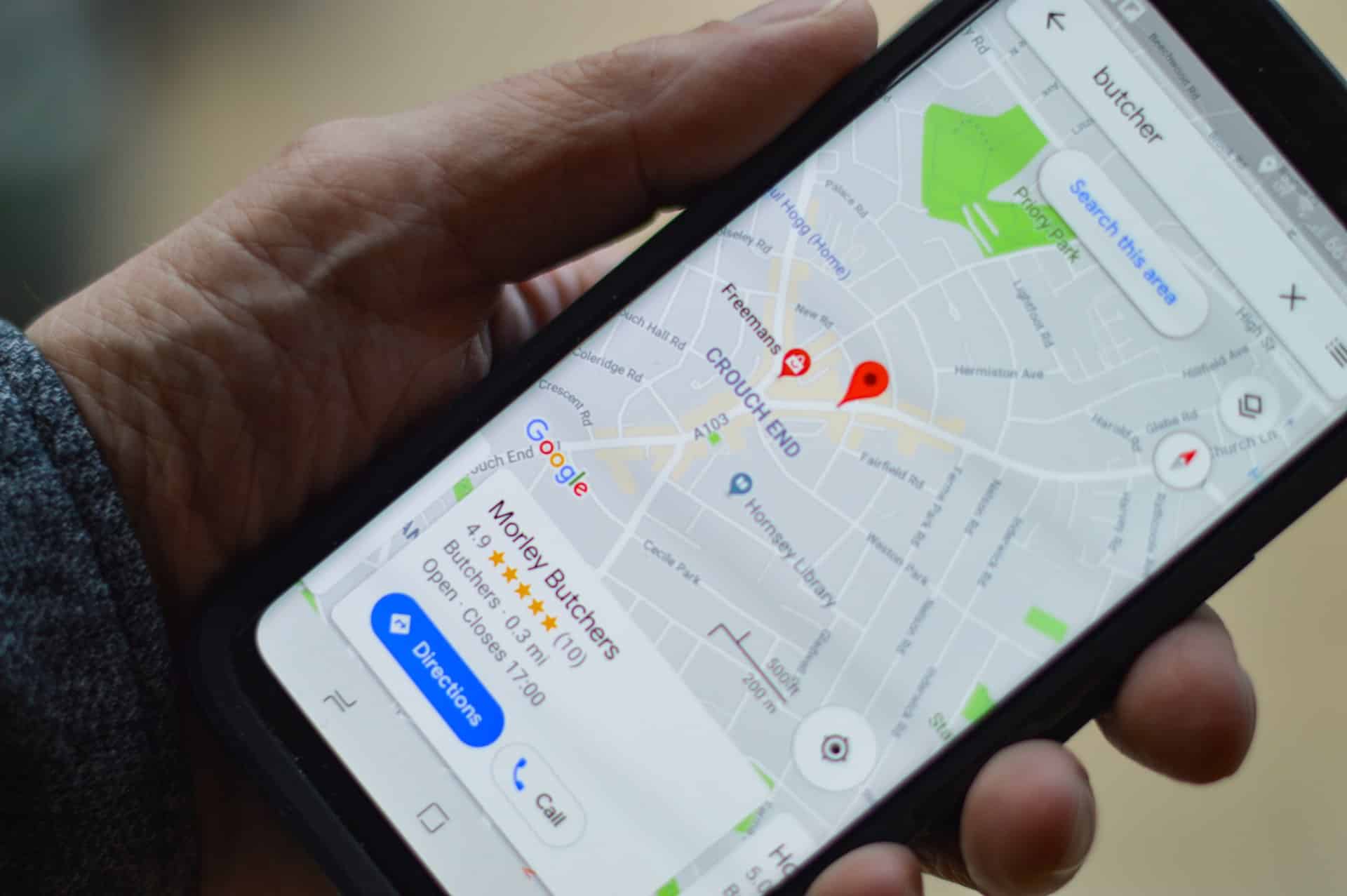
When someone searches for movers in your city, your GBP listing is usually the first thing they see: your name, your star rating, your photos, your phone number, and a button to call you directly. All of that appears before your website, before your ads, and before any organic search result. For a customer who has already decided they need a mover and is ready to call, your GBP is the deciding factor.
The problem is that most moving companies set up their profile once and leave it alone. A profile that is incomplete, has outdated photos, has no recent reviews, and never gets posted to will rank lower and convert less — even if everything else about the business is strong.
This guide covers exactly how to use your Google Business Profile to get more customers in 2026, including the newer features most movers are not yet taking advantage of.
What Your Google Business Profile Actually Controls
Before getting into tactics, it helps to understand what GBP actually influences. A well-optimized profile affects three things simultaneously:
| What It Affects | How It Works | Business Impact |
|---|---|---|
| Google Maps ranking | Relevance + prominence signals | Determines if you appear in the local 3-pack |
| Search result appearance | Star rating, photos, review snippets | Affects click-through rate on branded searches |
| Direct customer actions | Call button, direction requests, website clicks | Drives calls and visits without the customer visiting your site |
| AI search mentions | Structured profile data, review text content | Influences whether AI Overviews recommend your business |
Most movers focus only on the first row. The last three are where the untapped opportunity is in 2026.
What Is a Google Business Profile?
Google Business Profile (GBP) is a free tool provided by Google that controls how your moving company appears across Google Search and Google Maps. It is the profile panel that shows your business name, address, phone number, hours, photos, reviews, and customer action buttons when someone searches for your company or for movers in your area.

GBP is the foundation of local SEO for movers. Every other tactic — service area pages, citation building, review generation — works better when your GBP is complete and active. It is also free, which makes a neglected profile one of the most common missed opportunities in advertising your moving business.
As noted in moving industry statistics, the majority of local service searches end in a call or visit within 24 hours. Your GBP is frequently the last thing a customer sees before making that call.
How to Set Up a Google Business Profile
If you have not already claimed your listing, go to business.google.com, search for your business name, and follow the prompts to claim and verify ownership. You will need your business name, address, and phone number. Verification typically takes a few days via postcard or can sometimes be completed instantly by phone or video.
One important warning: once you submit your profile, you cannot edit certain fields until verification is complete. Fill in as much as you can accurately before verifying — particularly your business name (it must match your legal trading name exactly), your primary address, and your primary business category.
If you already have a profile, check whether it is verified and whether there are any warnings or suspension flags in your Business Profile Manager dashboard. An unverified or suspended profile cannot rank in map pack results regardless of how complete it is.

How to Use Your Google Business Profile to Get More Customers
1. Complete Every Field — Especially Category and Services
The single most important optimization step is also the most overlooked: filling in every available field completely.
Google uses the information in your profile to determine which searches your business should appear for. An incomplete profile is, from Google’s perspective, an uncertain match for any query — and uncertain matches rank lower.
The fields that matter most:
- Primary business category. This is the highest-impact single field in your entire profile. It should be “Moving company.” If it is set to anything broader or different, change it now.
- Additional categories. Add secondary categories for every service type you offer — “Storage facility,” “Piano moving service,” “Packing service,” if applicable.
- Services section. List every individual service with its own name and description. “Local residential moving,” “Long-distance moving,” “Full packing and unpacking,” “Senior relocation.” Each entry is a separate relevance signal.
- Business description. Write 250–750 words that describe what you do, where you operate, and what makes you different. Include the city names you serve naturally. This is not a keyword-stuffing exercise — write for the customer, and the signals will follow.
- Business hours. Keep these current. Incorrect hours are one of the most common GBP errors and one of the most damaging to conversion — customers who call outside hours you claim to be open will not call back.
- Attributes. Enable every relevant attribute: “Online estimates,” “Appointment required,” “Women-owned,” “Veteran-owned,” and any others that apply.
Double-check your NAP (name, address, phone number) against every other directory where your business appears. Even minor inconsistencies reduce the trust signals that drive your SEO for moving companies performance across the board.
2. Use Photos and Videos Consistently — Not Just Once
High-quality photos are one of the most directly controllable prominence signals in your GBP. Profiles with more photos get more views, more engagement, and rank higher than profiles with fewer photos — and the difference is significant.
What to upload:
- Your moving trucks (clean, branded if possible)
- Your crew at work (with customer permission)
- Packing in progress — boxes, materials, careful wrapping of furniture
- Before and after shots of loaded trucks
- Your office or dispatch location
- Any equipment that signals quality: dollies, wardrobe boxes, floor runners
What not to do: upload everything in a single batch and never add more. Google tracks engagement on photos and rewards profiles that upload new content regularly. Add at least 4–6 new photos per month.
Name your image files descriptively before uploading. “denver-moving-crew-apartment-move.jpg” signals more context to Google than “IMG_4823.jpg.”
Videos perform even better than photos in terms of engagement. A 30–60 second clip of your crew working professionally — even filmed on a phone — will generate more profile views than a dozen static photos.

3. Generate Reviews Consistently — Not Occasionally
Reviews are the most visible element of your GBP to potential customers, and one of the strongest prominence signals Google uses to determine map pack rankings. They are also where most moving companies have a broken or non-existent system.
The key insight is that consistency matters more than volume spikes. A profile receiving 3–5 new reviews every month for a year outperforms a profile that received 50 reviews in one month two years ago and nothing since. Google weights recency heavily.
How to build a consistent review system:
- After every completed move, send a follow-up text or email within 24 hours with a direct link to your Google review page (find this in your Business Profile Manager under “Get more reviews”).
- Train your crew to mention reviews at the end of a job: “If everything went well today, we’d really appreciate a quick Google review — it helps us a lot.”
- Never offer incentives for reviews. This violates Google’s guidelines and can result in profile suspension.
GBP reputation management becomes especially important once review volume grows. How you manage your review profile — velocity, responses, handling of negative reviews — determines both your ranking and how customers perceive your business before they call.
4. Respond to Every Review — Good and Bad
Responding to reviews is a ranking signal that most movers skip. It tells Google that your business is active and engaged, and it tells potential customers that you take service seriously.
Guidelines for responses:
- Positive reviews: Thank the customer by name, reference something specific about their move, and add a brief line that naturally includes your service type and city (this creates a small relevance signal).
- Negative reviews: Respond calmly and specifically. Acknowledge the issue, explain what you did or would do to address it, and invite the customer to contact you directly. Never be defensive or dismissive. Future customers reading the exchange will be more influenced by how you responded than by the negative review itself.
- All responses within 48 hours. Delayed responses look like neglect.
5. Post to Your GBP Every Week
Google Posts are short updates that appear directly on your GBP listing. They are an underused feature that serves two purposes: they act as a direct relevance signal to Google (showing your profile is actively managed and what it is about), and they give customers additional reasons to choose you.
What to post:
- A recent successful move (“We just helped a family relocate from Capitol Hill to the suburbs — here’s how we made it smooth”)
- A seasonal offer or discount for off-peak bookings
- A moving tip that demonstrates expertise
- A reminder about your services before peak moving season
- A recent positive review was highlighted as a post
Posts expire after 7 days for standard updates, so weekly posting keeps your profile looking active. Keep posts to 150–300 words and include a call-to-action button — “Call now,” “Book a quote,” or link to your instant quote calculator.
6. Use the Q&A Section Proactively
The Q&A section of your GBP appears publicly and can be answered by anyone — including people who are not your customers. Most moving companies ignore it entirely, which means incorrect or unhelpful answers sit there indefinitely.
The best approach: populate it yourself before customers ask. Log in to your GBP, go to the Q&A section, and post the most common questions your sales team receives — then answer them fully.
Good questions to add:
- “Do you provide free in-home estimates?”
- “Are you licensed and insured?”
- “Do you move pianos or specialty items?”
- “What areas do you service?”
- “How far in advance should I book?”
- “What is included in your standard move?”
Each answer is indexed by Google and can appear in search results independently. It is a low-effort way to capture additional impressions for question-based queries.
7. Enable and Optimize the Booking Feature
If you use a scheduling tool, connect it to your GBP using the booking integration. A “Book online” button appears directly on your listing, reducing the friction between a customer finding you and actually committing.
For movers who take quote requests rather than direct bookings, link this button to your quote request form or moving website. Customers who can take action directly from the search result without navigating to your website convert at a higher rate.
8. Monitor GBP Insights and Track What Actually Brings Calls
Your Business Profile Manager includes an Insights section showing how customers find your profile, what actions they take (calls, direction requests, website visits, photo views), and which search queries triggered your listing.
Check this monthly. The data tells you which parts of your profile are working and which are being ignored. A sudden drop in phone calls from your GBP is often the first indicator of a ranking change — which is why tracking what brings in jobs needs to include GBP metrics alongside website and ad data.
The 2026 Layer: GBP and AI Search
In 2026, your Google Business Profile feeds more than just map pack rankings. Google’s AI Overviews — the AI-generated summaries that appear above search results for many queries — pull from GBP data, review content, and structured information on your website when generating local recommendations.
This means your GBP profile data is now being read by AI systems, not just ranked by algorithms. The practical implications:
- Review text content matters more than ever. AI systems read what reviews actually say, not just the star rating. Reviews that describe specific scenarios (“they moved our 2-bedroom in under 3 hours with no damage”) are more useful to AI than generic praise. Encourage detailed reviews.
- Profile completeness affects AI recommendations. An AI system generating a local recommendation needs structured data to work with. A complete, detailed profile with specific services, hours, and descriptions gives AI more to reference.
- Third-party mentions reinforce your GBP data. When your business is mentioned on local news sites, real estate blogs, or moving guides alongside the same information in your GBP, AI systems gain more confidence in recommending you.
For moving companies that want to appear in AI-generated answers, the guide on how to show up in Google’s AI results covers this in detail. It is also worth understanding what AI currently says about your company — many movers are surprised by what is and is not being said.
For a complete local visibility strategy that covers GBP alongside your website and paid channels, AI search optimization for moving companies and Performance Max campaigns both work better when anchored to a strong, complete GBP. The same applies to your PPC campaigns — a well-rated GBP improves your local ad performance through seller ratings extensions.
For the technical side of ranking in Google Maps specifically, see our dedicated guide, which covers the relevance, distance, and prominence factors in full. Your GBP is the foundation that makes all of that possible, and improving your brand image through web design ensures that customers who click through from your GBP to your website find something that converts.
Frequently Asked Questions
Can a Google Business Profile actually bring in more moving jobs?
Yes, and it is one of the highest-ROI things a moving company can do because it is free. When your profile ranks in the local 3-pack, customers see your name, rating, photos, and a call button before they ever visit your website. Most local moving searches end in a call within 24 hours — your GBP is often what determines whether that call goes to you or a competitor.
What factors make a Google Business Profile stand out to potential customers?
Generate reviews consistently. Star rating and review volume are the most visible elements of your listing to potential customers, and review recency is one of the strongest signals Google uses to rank profiles. A mover with 80 reviews averaging 4.5 stars and 3 new reviews last month will almost always outbook a competitor with 200 reviews and nothing recent.
How do Google Posts help attract new customers?
Posts appear directly on your listing when customers are deciding whether to call. A post showing a recent successful move, a limited-time offer, or a seasonal promotion gives an undecided customer a reason to choose you over the next listing. They also signal to Google that your business is active, which supports ranking. A weekly post takes 5 minutes and keeps your profile looking current.
Does responding to reviews help bring in more customers?
Directly, yes. Potential customers read review responses before calling — they want to see how you handle problems. A thoughtful, specific response to a negative review often does more to convert a new customer than a dozen positive reviews with no responses. It signals that you are accountable and engaged, which is exactly what someone trusting you with their belongings wants to see.
What GBP features do most movers ignore that actually drive bookings?
Three that are consistently underused: the Q&A section (populate it yourself with answers to questions your sales team hears daily — each answer is indexed by Google), the booking or quote link button (connects directly to your quote form, reducing friction between finding you and contacting you), and the services section (listing each service individually creates separate relevance signals for related searches, not just "moving company").