



A moving company website works like a production line: one broken step, such as a page Google cannot index or a quote form that loads too slowly on a phone, and the leads stop. The right website auditing software finds those breaks before your customers do. Below is the short list of tools worth using, which ones are free, what each one actually checks, and the audit checklist we run for movers before touching any SEO for moving companies campaign.
Which website auditing software should a moving company use?
Most movers need three free Google tools plus one paid suite. The free tools tell you how Google sees your own site. The paid suite adds what Google will not show you: competitors’ keywords, their backlinks, and their ads. The table below covers every tool in this guide, so you can pick by job instead of by brand.
| Tool | What it checks | Free or paid | When a mover uses it |
|---|---|---|---|
| Google Search Console | Indexing, queries, impressions, clicks, average position, Core Web Vitals | Free | Monthly, and after every site change, to see which pages Google indexes and which searches show your site |
| PageSpeed Insights | Load speed and Core Web Vitals on mobile and desktop | Free | Before and after a redesign, and on the quote form and service pages |
| Google Analytics 4 (GA4) | Traffic sources, landing pages, quote requests and calls tracked as key events | Free | To see which pages turn visitors into booked estimates |
| Google Keyword Planner | Search volume and related keyword ideas | Free with a Google Ads account | When planning city and service pages |
| Semrush | Site audit, competitor keywords, rank tracking, backlinks, ad research | Paid (limited free use) | To compare your site with the movers who outrank you |
| Moz | Domain Authority, Page Authority, link metrics, on-page checks | Paid (limited free use) | To judge link strength against local competitors |
| Woorank | On-page and off-page SEO, broken links, faulty pages, PDF reports | Free and paid versions | For a quick, easy-to-read report |
| SEO Site Checkup | SEO issues, mobile usability, server, security, semantic web, social media | Free checks | For a fast health check across six categories |
| Seoptimer | Page-level errors with an action plan; Chrome extension | Free checks, paid plans | To audit one page at a time while browsing |
| SpyFu | Competitors’ ranking keywords, backlinks, search counts | Paid (limited free use) | To see what a competing mover ranks and bids for |
| WebCEO | Keyword optimization, link management, SEM campaigns | Paid | For agencies or in-house teams managing many campaigns |
| Raven Tools | Backlinks, page speed, on-page optimization, campaign management | Paid | For reporting on several campaigns in one place |
| Found’s SEO Audit Tool | Technical and content issues, internal and external links, PDF report | Free | For a one-off link and content check you can share |
A practical rule from our work with 400+ moving companies: start with the free Google tools, because they show real data from Google itself, then add a paid tool only when you need competitor data. Paid suites estimate traffic; Search Console reports it.
Which free SEO tools can movers start with?
If you are a startup mover and the budget for professional marketing is not there yet, a free toolset still covers most of a basic audit. It starts with knowing your target customer: the person searching “movers near me” or “cost to move a 2-bedroom apartment” is the person you optimize for.
Google Search Console
Search Console is the single most useful free audit tool for a moving company. The Page indexing report lists pages Google has not indexed and why. The Performance report shows the exact queries, impressions, clicks, and average position for each URL, with up to 16 months of history. That is how we diagnosed this very guide: the 2020 version collected roughly 8,000 impressions in 16 months and 0 clicks at an average position of 70. The queries (“website auditing software”, “online audit tools”, “site audit software”) showed the problem was depth and structure, not the title.
PageSpeed Insights
PageSpeed Insights tests any URL on mobile and desktop and reports Core Web Vitals from real Chrome users when enough data exists, plus lab results with a list of fixes. Run it on your homepage, your main service pages, and the page with your quote form. If you want the reasoning behind the fixes, our guide on how site speed optimization benefits movers’ SEO explains which ones move rankings.
Google Analytics 4 and Keyword Planner
GA4 answers the question Search Console cannot: what visitors do after they land. Mark quote form submissions and phone clicks as key events, and you will see which pages produce estimates. If you already have a Google Ads account, Keyword Planner is free and gives search volume and related ideas. Use it to list keywords by priority and volume, and favor long-tail phrases of three or more words, such as “long distance movers in Queens”, where competition is lower and intent is closer to booking.
What does each paid site audit software do best?
Paid tools earn their place when you need data about other websites. Here is what each tool from our list is strongest at, based on how agencies and site owners typically use them.
Woorank for easy on-page and off-page reports
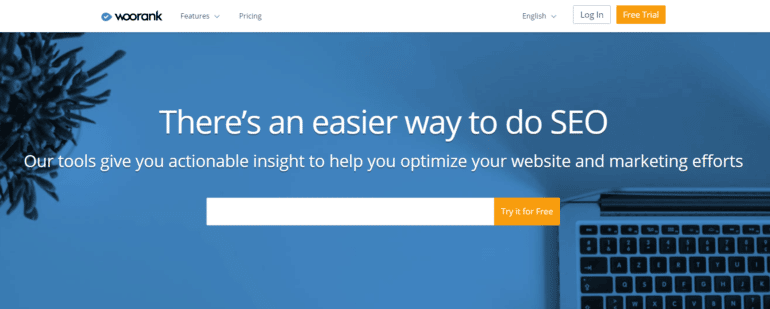
Woorank analyzes on-page and off-page SEO factors, broken links, backlinks, and faulty pages, then gives recommendations for visibility and rankings. Reports download as PDF and are easy for a non-technical owner to read.
Raven Tools for campaign management
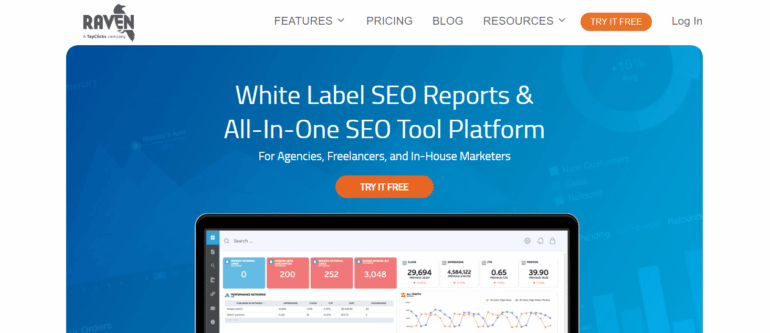
Raven Tools covers backlink profiles, brand mentions, page loading speed, web design, and on-page optimization. Its main advantage is managing several marketing campaigns from one dashboard.
Moz for link metrics
Moz offers a wide range of SEO tools and is the source of the Domain Authority and Page Authority metrics many marketers use to compare link strength. For a mover, that comparison is most useful against the three or four local competitors who rank above you.
WebCEO for links and SEM campaigns

WebCEO is a SaaS platform for keyword optimization, link management, and SEM campaign tracking, with competitor reports on what other sites are doing.
SpyFu for competitor keywords
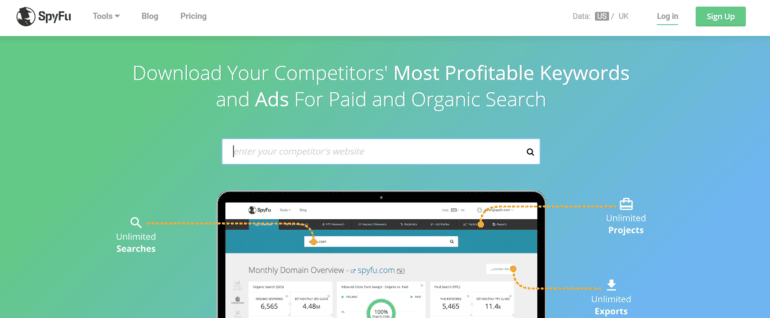
Enter a competitor’s URL in SpyFu and you get the keywords that site ranks for, its backlinks, and search counts within moments. It is a fast way to see which city pages a competing mover is winning.
SEO Site Checkup for a six-category health check
SEO Site Checkup reports on six categories: SEO issues, mobile usability, servers, security, semantic web, and social media. It is a good first scan when you do not know where the problems are.
Found’s SEO Audit Tool for link analysis
Besides technical and content issues, Found’s tool looks closely at internal and external links and exports a PDF report you can hand to a developer.
Seoptimer for page-by-page errors
Seoptimer finds errors and turns them into an action plan. Its Chrome extension lets you audit any page you are viewing, which is handy for checking a competitor’s service page in one click.
What are the benefits of using Semrush for a moving company?
Semrush earns its own section because it covers more audit jobs in one subscription than any other tool on this list. Its biggest strength is competitive SEO analysis for movers: you can compare your site with your main competitors on rankings, traffic, keywords, and backlinks. The benefits of Semrush for a mover fall into five areas.
Competitor and market research
The best way to start a marketing strategy is to research the competition. With Semrush, you see a competitor’s most-used keywords and compare their online presence with yours, so you can tell whether your strategy is working or just running.
Keyword research and long-tail keywords

Semrush identifies phrases that bring traffic, groups related keywords around a root word, and shows monthly search volume for each. Long-tail keywords matter most for growing movers because competition for them is lower; Semrush helps you find and track them.
Rank tracking connected to GA4 and Search Console
Semrush tracks your Google rankings continuously and connects to both Google Analytics and Google Search Console, so you can compare current rankings with previous ones and see which posts and keywords had the biggest impact.
Google Ads research

For movers comparing Google Ads strategies, Semrush shows:
- Which domains competitors advertise on.
- Which keywords they use in their ads.
- How much traffic their ads generate.
- The estimated cost behind those ads.
The same research helps you find businesses related to moving and storage for affiliate and partnership deals. If you would rather hand paid search to specialists, our PPC for moving companies team runs this analysis before building campaigns.
Backlink analysis and guest blogging
Semrush tracks competitors’ backlinks, rates their quality, and shows how closely they relate to moving or storage. It also helps you vet whether a site is worth a guest post before you write for it.
What should a moving company website audit check?
Tools only help if you know what to look for. This is the audit checklist we use, grouped by area. Work through it once a quarter, and after every redesign or migration.
Technical SEO and indexing
- Pages that should rank are indexed (Search Console, Page indexing report).
- No important page is blocked by robots.txt or a noindex tag.
- One version of the site resolves: https, with or without www, never both.
- Broken links and redirect chains are fixed (Woorank, Found’s tool, Semrush Site Audit).
- The site passes mobile usability and security checks (SEO Site Checkup).
For the full list of fixes, see our essential technical SEO tasks.
On-page content and keywords
- Every service and city page has a unique title tag, meta description, and one H1.
- Each page targets one main keyword and does not compete with another page for the same query.
- Service pages state what you actually offer: local, long distance, packing, storage.
- Quote forms and phone numbers are visible without scrolling on mobile.
Local SEO and Google Business Profile
- Company name, address, and phone number match exactly across your site, Google Business Profile, and directories.
- Google Business Profile categories, service area, hours, and photos are complete.
- Reviews are recent and answered.
Inaccurate citations hurt a customer’s decision to call, so audit them alongside the site; our guide to local business citations for movers covers the process, and our Google Business Profile and reputation service handles it for you.
Site speed and Core Web Vitals
Google’s thresholds for a “good” page experience are concrete: Largest Contentful Paint within 2.5 seconds, Interaction to Next Paint of 200 milliseconds or less, and Cumulative Layout Shift of 0.1 or less, as set out in Google’s Core Web Vitals documentation. Check them in PageSpeed Insights and in the Core Web Vitals report in Search Console, page group by page group.
Backlinks and mentions
- Compare your referring domains with the top three local competitors (Semrush, Moz, SpyFu).
- Find links from moving, storage, real estate, and local sites that competitors have and you lack.
- Check mentions of your brand on other sites, including unlinked ones.
What does Movers Development check in a free marketing analysis?
If you would rather not run the audit yourself, the free marketing analysis for moving companies from Movers Development covers the same ground. We review your website’s usability and design, your Google rankings, and your mentions on other sites, then show where leads are being lost. The analysis is free, comes with a consultation, and is delivered in less than 48 hours.
The process has three steps:
- Book a meeting through the form.
- Get your analysis and proposal.
- Book more jobs once the fixes are in place.
Because we work only with moving companies, the analysis compares your site with movers in your own market, not with generic small businesses.
Audit first, then fix what costs you leads
The best tools for auditing a moving company website are the ones you actually open every month: Search Console, PageSpeed Insights, and GA4 for free, plus one paid suite such as Semrush when you need competitor data. Use the checklist above to turn their reports into a fix list. If you want a second set of eyes, Movers Development will run the audit for you with the same website auditing software and a team that works with 400+ moving companies. Request your free marketing analysis or contact us to talk through the results.
Frequently Asked Questions
What is website auditing software?
Website auditing software scans a site and reports problems that hurt rankings and leads: pages Google cannot index, broken links, slow load times, missing title tags, and weak backlinks. For a moving company, the free Google tools (Search Console, PageSpeed Insights, and GA4) cover your own site, while paid suites such as Semrush or Moz add competitor keywords and backlink data.
What are the best online audit tools for a moving company website?
Start with three free tools: Google Search Console for indexing and search queries, PageSpeed Insights for speed and Core Web Vitals, and GA4 for quote requests and calls. Add Woorank or SEO Site Checkup for an easy-to-read health report, and Semrush, Moz, or SpyFu when you need to compare your site with the movers who outrank you.
What SEO tools should moving companies use?
Moving companies get the most from Google Search Console, PageSpeed Insights, GA4, and Google Keyword Planner, which is free with a Google Ads account. Together they show which pages are indexed, how fast they load, which pages produce estimates, and which local keywords people search. A paid tool such as Semrush is worth adding once you want competitor rankings, backlinks, and ad data.
Does Seoptimer have a Chrome extension?
Yes. Seoptimer offers a Google Chrome extension that audits the page you are currently viewing and lists its errors along with an action plan for fixing them. Movers use it to check their own service and city pages one at a time, or to look at a competitor's page in one click without running a full site crawl.
Moz vs Website Auditor: which should a moving company use?
Choose based on the job. Moz is strongest at link metrics, especially Domain Authority and Page Authority, which help you compare your link strength with local competitors. A crawler-style tool such as Website Auditor focuses on a page-by-page check of your own site. Most movers need both kinds of data, and Google Search Console covers much of the crawl side for free.
What are the benefits of using Semrush?
Semrush combines five audit jobs in one subscription: competitor and market research, keyword research including long-tail keywords, rank tracking connected to Google Analytics and Search Console, Google Ads research, and backlink analysis. For a moving company, the main benefit is seeing exactly which keywords, ads, and links help competing movers outrank you.
Can Semrush be used for Google Ads research?
Yes. Semrush shows which domains competitors advertise on, which keywords they use in their Google Ads, how much traffic those ads generate, and the estimated cost behind them. Moving companies use this data to find keywords worth bidding on and to spot competitors' ad copy before building their own PPC campaigns.
Why use Semrush if Google Search Console is free?
Google Search Console only reports data about your own website. Semrush adds what Search Console cannot show: the keywords competitors rank for, their backlinks, and their ads. A practical setup for a moving company is Search Console for real traffic data and Semrush for competitor research, so each tool covers the other's blind spot.


