



Your moving company technology decides how fast you answer a lead, how many jobs one dispatcher can juggle, and whether the invoice goes out the day the truck is unloaded. Customers now expect instant quotes, live arrival updates, and online payment, and the software behind those expectations spans nine categories, from CRM to warehouse management. Movers Development works only with moving companies, and this guide maps each category to what it does, who in your company uses it, tools we have reviewed, and the point at which it is worth buying.
What software do moving companies use?
Most moving companies run on four core systems: a moving CRM, dispatch or field service management (FSM) software, an online estimating tool, and cloud accounting. The other five categories become worth paying for as you add crews, storage space, or branches. The table shows the full technology stack for moving companies, in the order most movers should adopt it.
| Category | What it does | Who uses it | Examples from our reviews | When to adopt it |
|---|---|---|---|---|
| CRM and lead management | Tracks every lead from first inquiry to booked job, automates follow-ups, reports on bookings | Owner, sales reps, office manager | MoversTech, SmartMoving, Supermove, Elromco | From day one, as soon as leads arrive from more than one channel |
| Dispatch and FSM | Schedules crews and trucks, manages work orders, GPS tracking, real-time rescheduling | Dispatcher, operations manager, drivers, crew leads | Service Fusion, Jobber, Verizon Connect, mHelpDesk | When you run more than one crew a day |
| Estimating and quoting | Instant online estimates and remote video surveys | Customers (self-service), estimators, sales | Website quote calculator, video walkthrough tools | Before you spend on paid ads, or when phone estimates eat your estimators’ day |
| Accounting and payments | Bookkeeping, invoicing, card payments, e-signatures, no re-keying between quote and invoice | Owner, bookkeeper, outside accountant | FreshBooks, Stripe, PandaDoc | When spreadsheets start producing errors or late invoices |
| HR and crew management | Recruiting, onboarding, time-off requests, performance tracking, payroll data | Owner or HR lead, crew leads, every employee via mobile | BambooHR, Zoho Recruit, UltiPro (now UKG Pro) | Before your first big seasonal hiring push |
| Warehouse management (WMS) | Barcode or RFID item tracking, storage locations, activity-based billing, user audit trails | Warehouse manager, storage billing staff | Cloud or on-premise WMS | As soon as you sell storage |
| Communication and collaboration | Team chat, video calls, project boards, shared files, customer support tickets | Office staff, estimators, crews, managers | Slack, Webex, Asana, Trello, Google Drive, Zendesk | When the office and the field stop fitting in one group text |
| Analytics and predictive tools | Forecasts, “what if” scenarios, location data for ad targeting | Owner, marketing lead | Predictive analytics with BI platforms, geofencing and location intelligence | After at least one full season of clean CRM and job data |
| Cloud, ERP, and IT support | One shared database across departments, hosting, security, outsourced IT | Owner, finance, IT provider | SAP and other ERP suites, outsourced IT providers | Multiple branches or business lines, or no in-house IT specialist |
In our work with 400+ moving companies, a mistake we see often is buying in the wrong order: an ERP or analytics suite on top of a lead process that still lives in someone’s inbox. Start at the top of the table and move down only when the previous layer is in daily use.

CRM and lead management software for movers
A moving CRM is the hub the rest of your stack connects to. It organizes customer interactions, automates follow-ups, and keeps your team on the same page from the first inquiry to the signed booking. Platforms built for movers, such as MoversTech, SmartMoving, Supermove, and Elromco, add moving-specific features like estimating, dispatch, and storage billing. We compare features and pricing for each in our guide to the best CRM software for movers.
Two rules keep a CRM useful. First, every lead source has to flow into it automatically, whether the lead comes from search engine optimization for movers, Google Ads, or a referral partner. Second, it should integrate with your booking and payment tools, so one record carries the customer from inquiry to final payment and nobody re-types an address.
Dispatch and field service management software
Field service management software keeps the office and the crews in the field connected. It books appointments, schedules crews and trucks, tracks work orders, and lets a dispatcher reschedule the whole day in real time when one job runs long. Because most FSM and fleet tools use GPS for routing, you can give customers accurate arrival times and live updates instead of vague windows.

What to look for in field service management software
Good FSM software for a moving company should cover:
- Booking and work orders: customer appointments, order tracking, or tickets for requests
- Crew scheduling: individual workers and whole teams, with company-wide rescheduling
- Activity tracking: driver logs, status updates, or time tracking
- Vehicle location: real-time GPS, route optimization, and geofencing alerts when a truck enters or leaves an area
- Fleet health: driver habits such as speed and idle time, plus maintenance alerts based on mileage
- Back-office links: inventory, accounting, and invoicing, or clean integration with the CRM and accounting tools you already use
Field service management software comparison
These four platforms came out ahead in our field service management review. Plans change often, so confirm current pricing with each vendor and use every free trial available.
| Tool | Best fit | Strengths | Limitation |
|---|---|---|---|
| Service Fusion | Movers of any size, including first-time software buyers | All-in-one: dispatch, work orders, invoicing, automatic payroll population, texting with crews | No free trial at the time of our review |
| Jobber | Mid-sized teams | One dashboard, real-time scheduling and dispatch, batch invoicing, payment reminders, quotes and invoices by text, online booking | Built mainly for residential trades such as HVAC and landscaping |
| Verizon Connect | Small teams that mainly need tracking | Real-time worker and vehicle tracking, dispatch by text message, asset tracking | No billing or invoicing; pricing by quote |
| mHelpDesk | Companies that want end-to-end job management | Web and mobile app, job scheduling, team tracking, payments in the field, customer messaging | Pricing by quote only |
Match the tool to your bottleneck. If billing is the problem, Verizon Connect will not fix it; if you run a large multi-crew operation, a mid-market tool like Jobber may hit its limits. Moving CRMs such as SmartMoving and Elromco also include dispatch, so check whether your CRM already covers this layer before you pay for a separate FSM app.
Estimating and quoting tools
An interactive online moving calculator lets a visitor enter home size, distance, and extra services and see a price immediately, at 11 p.m. or on a Sunday. Many people do not want to call a mover until they are sure they need one; a calculator captures them anyway, and your estimators stop spending mornings on rough phone quotes. It also cannot forget an item’s weight or add a line wrong.
Virtual walkthroughs cover the next step. A video survey lets an estimator inspect the home remotely, so even complex moves get a reliable price without an in-person visit, and one estimator can handle more surveys per day. Showing customers how the estimate is built during the call also builds trust. Both tools depend on a fast, mobile-friendly site, which is why professional web development for moving companies belongs in the same budget line.
Do movers need accounting software?
Accounting software for movers pays for itself the day you stop typing the same customer address on the quote, then on the work order, then on the invoice. A one-truck operation with a few jobs a week can get by on a simple, low-cost plan. Any mover that is growing its lead volume needs bookkeeping that keeps up without extra office hours.
Choose cloud accounting over a desktop package. The benefits from our original review still hold:
- Access from anywhere: check cash position and receivables from your phone, not only from the office computer.
- No upfront license: you pay a subscription, and updates are included automatically.
- Automatic backups: the provider stores and backs up the data, so a crashed laptop does not take your books with it.
- Easy sharing: give your accountant or partners access instead of emailing spreadsheets.
Read the support terms before you sign. Many vendors include free troubleshooting only for an introductory period and then charge annually, quarterly, or per user. Also talk to at least three other movers who use the product about what works and what needs improvement.

Payments and paperwork are the other half of the job. FreshBooks handles invoicing, Stripe processes card and online payments, and PandaDoc sends documents with e-signatures. Customers pay from a phone and sign contracts online, and when these tools sync with your CRM, every signed contract and payment sits on the same job record. Cleaner books also show where money leaks, which we break down in our guide on how to increase profit margins for your moving company.
HR and crew management software
Moving companies depend on the skill and reliability of their crews, so HR software earns its place earlier than most owners expect, usually before the first big seasonal hiring push. It replaces paper files, speeds up decisions because performance and availability data are current, and keeps confidential employee records behind access controls.
The three HR platforms movers mentioned most in our research were BambooHR (easy to use for small and mid-sized movers, with performance tracking), Zoho Recruit (recruiting across locations, useful for movers with branches), and UltiPro, now UKG Pro (connecting HR processes with employees). Cloud HR adds mobility: crew members update personal details or request time off from a phone, and accounting gets payroll data without chasing HR. You do not need the whole suite on day one; if recruiting is the pain point, start with that module. For the hiring process itself, see our guidelines for hiring and training moving crews.
What does a warehouse management system do for movers?
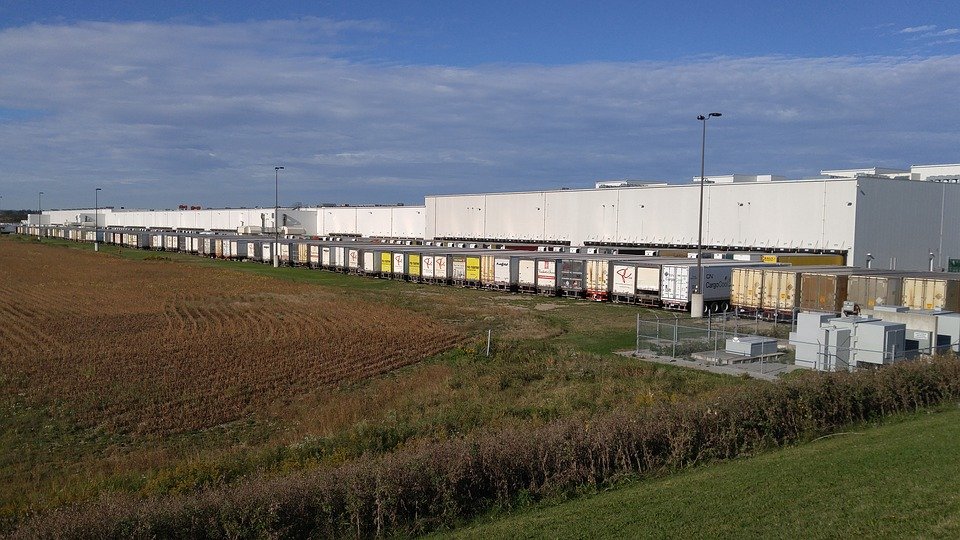
If you sell storage, a warehouse management system (WMS) tracks every item from the moment it enters your facility until it leaves. Using barcodes, serial numbers, or RFID tags, it documents each incoming item, monitors where it moves inside the warehouse, and records where it is stored. That visibility is what lets your office answer a storage customer’s “where is my sofa?” in seconds.
The other benefits of a warehouse management system that matter most for movers:
- Space and labor planning: the system suggests a layout and where to keep which goods, then assigns tasks by skill level and proximity.
- Accountability: every employee works under an individual login, so each transaction has an audit trail and staff see only what they need.
- Inbound and outbound scheduling: pickups and deliveries are planned so trucks and vendors do not wait at the dock.
- Activity-based billing: built-in billing or a third-party integration charges storage customers for what they actually use.
- Remote updates: a cloud WMS updates itself, so you do not need in-house IT to maintain it.
Communication and collaboration tools
Office staff, estimators, and crews need one place to talk, one place to track tasks, and one place to keep files. Splitting tools by job keeps the setup simple:
- Team chat: Slack, with channels and threads by crew, branch, or project, file uploads, and mobile notifications
- Video: Webex, for team meetings, crew training sessions, and customer calls
- Project boards: Asana or Trello, to assign tasks and deadlines on complex jobs such as a commercial office relocation and see early when one slips
- Shared documents: Google Docs and Sheets, where several people edit the same file at once
- File sharing: Google Drive (15 GB free), OneDrive (5 GB free), or Dropbox (2 GB free), for photos, inventories, and contracts the office and crews both need
For bigger projects, our review of project management tools for relocation compares the options in more depth.

Customer-facing communication needs its own tools. A help desk like Zendesk turns questions, claims, and change requests into prioritized tickets. AI-powered chatbots answer common questions about pricing, scheduling, and services 24/7 and hand complex conversations to a live agent, so customers get support outside business hours without you adding staff.
Analytics, predictive, and location intelligence tools
Predictive analytics software runs algorithms over your historical data and returns “what if” scenarios and risk assessments. It does not guarantee outcomes, but it lets you plan staffing, marketing spend, and expansion with numbers instead of gut feeling. For movers, the inputs come from the CRM, customer surveys, reviews, social media, and customer service calls.
When you evaluate a tool, check four things: integration with your CRM, BI platform, and any ERP; scalability for your company size; total cost, including training and onboarding time; and proprietary versus open-source. Proprietary tools have built-in parameters, so you do not need a statistics background, while open-source tools give more freedom but usually need an analyst to interpret results.
Location intelligence is the marketing side of the same idea. Geofencing and location data show where your customers are and which areas respond, so you can target ads and retargeting by area. That matters for a high-consideration purchase like a long-distance move, where customers take time to compare options before booking.
When does a moving company need ERP, SAP, or outsourced IT?
Cloud-based moving software
Almost every piece of moving company technology in this guide now runs in the cloud, and for movers that is mostly good news. Cloud-based moving software lets crews and office staff work from any location, scales up for peak season and back down after it, and moves backups, security patches, and updates to the provider. Two downsides from our cloud review still apply: you need a fast, stable internet connection, and you must handle customer personal data in line with the privacy laws where you operate.
ERP and SAP for moving companies
Enterprise resource planning (ERP) software puts accounting, HR, inventory, CRM, and operations on one shared database. Its value is synchronized reporting and automated processes such as lead-to-cash and procure-to-pay: a booked lead flows into the financial system without re-keying, and management sees every department on one dashboard. SAP, founded in 1972, is the best-known ERP vendor, and its software is built from modules configured for each business process.
For most local and regional movers, ERP is overkill. A moving CRM with dispatch, plus cloud accounting and HR that integrate with it, covers the same ground with far less setup. ERP starts to make sense when you run several branches or business lines, such as household moving, commercial relocation, and storage, and staff merge separate spreadsheets by hand to produce reports. SAP specifically fits van lines and enterprise relocation firms that can fund implementation partners and staff training.
IT outsourcing and security
Few moving companies need a full in-house IT department. Outsourced IT support gives you emergency response when an SSL certificate expires, hosting fails, or the website goes down at night, plus predictable subscription or per-user billing instead of salaries, training, and benefits. The trade-offs are onboarding costs (a provider may insist on replacing outdated software and equipment), shared support where minor tickets wait behind other clients, and uneven provider quality. Check reviews, request an audit, and put expectations in a written contract before you sign.
Security belongs in the same conversation. Before buying security software, ask three questions: does it offer layered protection (malware scanning, firewalls, intrusion detection, and encryption), does it match your systems, and how well does the vendor’s support handle new threats? Test it before you buy. The CISA Cyber Essentials guide is a free starting checklist for small businesses, and staff training matters as much as any software.
How does workflow automation save movers time?
Workflow automation means handing repetitive, rule-based work to software. Software cannot carry a dresser, but it can enter data, nurture leads, calculate estimates, send confirmations, and issue invoices. It also cuts errors and internal back-and-forth, because everyone sees the same job status instead of waiting for emailed reports.
Start with tasks that follow the same pattern every time. The tools from our automation review map neatly onto a moving company’s admin work:
- Automate marketing with HubSpot: email campaigns, social posts, lead scoring, and audience segmentation.
- Automate booking with Calendly: customers book estimate calls from your online calendar, and automatic confirmations reduce missed appointments.
- Automate payments with Stripe: card and online payments replace mailed checks.
- Automate support with Zendesk: tickets prioritize questions, claims, and order changes.
- Automate lead follow-up with your moving CRM: reminders and status updates go out as each lead moves through the pipeline.
Roll it out in three steps. Identify the rule-based tasks, choose software for them (your CRM often covers most), then retrain the people whose tasks changed so they move to work software cannot do, like personal customer support and sales calls.

What features should moving company technology have?
Whatever category you are buying, the same checklist separates software your team uses every day from software it abandons after a month. Look for:
- customer support tools that handle online and phone requests in one place
- activity planning and scheduling that shows in seconds whether a task is done
- a moving cost calculator or estimating module
- lead management with alerts when new leads slow down
- employee management and performance tracking
- shipment tracking customers can follow
- mobile access for owners and crews in the field
- integrations with your moving CRM and accounting software
As for when to buy: upgrade when a manual process starts costing you jobs or hours, not when a vendor calls. Typical triggers are missed follow-ups, double-booked crews, invoices going out days late, or opening a second location. Take every free trial, ask how the vendor supports your employees during onboarding, and confirm you can export your data if you leave.
Build a tech stack that books more moving jobs
The right moving company technology does not have to be expensive or complicated. Start with a CRM, an online quote calculator, dispatch, and cloud accounting, then add HR, storage, collaboration, analytics, and enterprise tools only when growth demands them. Software runs the operation, but it still needs a steady flow of booked jobs. Movers Development builds that flow for moving companies with SEO, PPC, web design, and instant quote calculators. Request a free marketing analysis to see which tools and channels will grow your moving business fastest.
Frequently Asked Questions
What software do moving companies use?
Most moving companies run on four core systems: a moving CRM such as SmartMoving, Supermove, MoversTech, or Elromco; dispatch or field service management software such as Jobber or Service Fusion; an online quote calculator on the website; and cloud accounting with card payments and e-signatures. Growing movers add HR software like BambooHR, a warehouse management system for storage, team chat and project tools like Slack and Asana, and, at enterprise scale, ERP.
What features should I look for in software for a moving company?
Look for customer support tools that handle online and phone requests in one place, crew scheduling and real-time rescheduling, a moving cost calculator or estimating module, lead management with follow-up alerts, employee performance tracking, shipment or truck tracking customers can follow, and full mobile access for crews. The software should also integrate with your CRM and accounting tools, offer a free trial, and let you export your data if you switch vendors.
When should I buy moving software for my moving business?
Buy moving software when a manual process starts costing you jobs or hours. Typical triggers are leads that never get a follow-up, double-booked crews, invoices that go out days after the move, retyping the same customer details on quotes and invoices, or opening a second location. A CRM and an online quote calculator usually come first, then dispatch software and cloud accounting, and only later HR, warehouse, analytics, or ERP tools.
Do packers and movers need ERP software?
Most local and regional packers and movers do not need ERP software. A moving CRM with dispatch, plus cloud accounting and HR tools that integrate with it, covers lead-to-cash and reporting with far less setup. ERP, including SAP, makes sense when a company runs several branches or business lines, such as household moves, commercial relocation, and storage, and staff merge separate spreadsheets by hand to produce company-wide reports.
How can a moving company automate its workflow?
Start with repetitive, rule-based tasks. Use a moving CRM for automatic lead follow-ups, HubSpot for email campaigns and lead scoring, Calendly so customers can book estimate calls online with automatic confirmations, Stripe for card and online payments, and Zendesk to turn customer questions and claims into prioritized tickets. Then retrain the staff whose tasks were automated so they can focus on sales calls and personal customer support.
What are the benefits of a warehouse management system?
A warehouse management system tracks every stored item with barcodes, serial numbers, or RFID tags, from intake to storage location to delivery. For moving and storage companies, it also plans warehouse layout and labor by skill and proximity, gives each employee an individual login with an audit trail, schedules inbound and outbound shipments so trucks do not wait at the dock, and supports activity-based billing for storage customers.
What are the benefits of cloud-based moving software?
Cloud-based moving software lets office staff and crews access jobs, schedules, and customer records from any device and location. It scales up for peak season and down afterward, and the provider handles backups, security patches, and updates, so a broken office computer does not mean lost data. The main requirements are a fast, stable internet connection and handling customer personal data in line with the privacy laws where you operate.
Should moving companies outsource IT support?
Outsourcing IT support makes sense for most moving companies without an in-house specialist. A provider responds when an SSL certificate expires, hosting fails, or the website goes down after hours, and bills by subscription or per user instead of salaries and benefits. Expect onboarding costs if your software is outdated and slower answers on minor tickets. Check reviews, request an audit, and sign a contract that spells out response times.


