

A lot of advice about Google Business Profile chat still describes a feature that no longer exists. The old Messages tab, the “typically replies within an hour” label, and the 24-hour response rule all went away in mid-2024. What replaced them is simpler: a Text or WhatsApp button that sends customers straight to your phone. That changes the decision for movers. The question is no longer whether Google will punish you for missed chats. It is whether your front desk can answer a text from someone comparing three quotes on a Tuesday night. This guide covers what GBP chat looks like now, when it pays off, how to set it up, and the exact SOP to run it.
| Option | Where messages land | Does Google track reply speed? | What you need | Best fit | Main risk |
|---|---|---|---|---|---|
| Native GBP chat | Google Maps / GBP inbox | Yes — Google could turn chat off after 24 hours without a reply | Retired July 31, 2024 | No longer available | — |
| Text message button | The phone number you enter | Not documented | A number that can receive texts | Local and long-distance moves in the US | Texts go to one phone; if nobody watches it, the lead is lost |
| WhatsApp button | Your WhatsApp Business app | Not documented | A WhatsApp link (wa.me) | International and cross-border moves | Fewer US customers use WhatsApp |
| No chat | Calls and quote form only | — | Nothing | Owner-operators with no one at the desk | Customers who won’t call pick a competitor |
Note: if you add both options, Google shows only the Text button.
What Happened to Google Business Profile Messaging?
Google removed chat and call history from Business Profiles on July 31, 2024. Businesses could download old conversations through Google Takeout until August 30, 2024. After that, the history was gone. The same change retired the chat FAQ feature, the Google Business Messages API, and the conversations metric in GBP performance reports.
For moving companies, three things disappeared with it:
- The in-app inbox inside Google Maps and the GBP dashboard
- The public response-time label on the profile
- The rule that let Google switch chat off for businesses that didn’t reply within 24 hours
What stayed is the Chat field in the Contact section of your profile. Instead of hosting the conversation itself, Google now hands it off to texting or WhatsApp. The customer taps a button on your listing, and the message arrives on the phone or WhatsApp account you connected. If an older article or agency pitch tells you to “turn on GBP messaging in the Messages tab,” that advice is out of date.
How Does GBP Chat Work for Movers in 2026?
The new setup is less of a Google feature and more of a shortcut. Google shows the button, but the conversation happens outside Google. That makes your internal process, not Google’s rules, the thing that decides whether chat brings in booked moves.
What happens when a customer taps Text
The customer’s own messaging app opens with your number already filled in. They type “How much for a 2-bedroom from Queens to Jersey City on the 15th?” and send it like any other text. It lands on whatever phone owns that number. If that is a landline or a call-tracking number that can’t receive SMS, the message goes nowhere, and nobody at your office will know it was sent. Before you turn it on, text the number from a personal phone and confirm it arrives.

When WhatsApp is the better choice
WhatsApp fits movers who handle international or cross-border relocations, or who serve customers who already use it daily. A family moving from Miami to Bogotá or from Houston to Monterrey is more likely to message on WhatsApp than to send an SMS. It also lets your coordinator send photos, inventory lists, and voice notes in one thread. If a large share of your leads speak Spanish, pair WhatsApp with a Spanish-language version of your moving website so the conversation continues after the first reply.
Where you see GBP chat numbers
Google reports chat activity in the Performance section of your Business Profile, next to calls, website clicks, and direction requests. Since June 2026, the same message count can also show up in Google Analytics once you link the two accounts. That is covered further down.
Should Your Moving Company Turn On Google Business Profile Chat?
For most movers with someone at the desk during business hours, yes. The upside is real, and the main downside is now within your control rather than Google’s.
The lead-capture upside
Many moving customers research at night, at work, or on a lunch break, when a phone call isn’t practical. A Text button gives them a way to ask a quick question without committing to a sales call. Those first questions are usually short and high-intent: a date, two ZIP codes, and a home size. That is enough to start a quote. If you already see people choosing chat over phone on your website, the same pattern applies on Maps. We compared both channels in our guide to live chat vs. calls for moving companies.
The response-time risk
Google doesn’t document any ranking penalty for slow replies to Text or WhatsApp messages. The risk is commercial. A customer who texts three movers from the local 3-pack will usually book with the first one that sends a real answer. An unanswered text also feels worse to a customer than a missed call, because they know you saw it. That frustration tends to show up in reviews.
A quick readiness test
Turn GBP chat on only if you can answer yes to all four:
- Does the number you’ll use receive texts, and does a person check it every business hour?
- Is there a named backup for lunch breaks, days off, and peak-season Saturdays?
- Is there an after-hours auto-reply that says when you’ll respond?
- Will every chat get logged as a lead in your CRM or lead sheet?
Two or more “no” answers mean chat will likely cost you more leads than it wins. Fix the process first, then switch it on.
How to Add Text or WhatsApp to Your GBP
Setup takes about five minutes. Your profile must be claimed and verified, and chat is only offered in select regions, so the option may not appear for every business.
- Sign in to Google and open your Business Profile.
- Click Edit profile and go to the Contact section.
- Click the pencil icon next to Chat.
- Choose Text message and enter a text-enabled number, or choose WhatsApp and paste your WhatsApp link.
- Save, then test it: open your listing on a phone you don’t use for work, tap the button, and send a message.
Use a dedicated business texting number, not your main line forwarded to a desk phone. Many call-tracking and VoIP lines can receive texts, but only if SMS is turned on with the provider. Also keep the same number consistent wherever you list it. A mismatch between your GBP, website, and directories is one of the issues in our GBP checklist for movers.
Front-Desk SOP for Moving Companies Using GBP Chat
The SOP below is what we recommend to movers before they switch the button on. Adjust the times to your office hours, but keep every step.
Set response windows by time of day
| When the text arrives | First reply within | Who replies | What the first reply does |
|---|---|---|---|
| Office hours, off-season | 15 minutes | Front-desk coordinator | Greets, asks for the move details |
| Office hours, peak season (May–September) | 10 minutes | Coordinator, with a named backup | Same, plus offers a call slot the same day |
| Evenings and weekends | Instant auto-reply, human reply by 9 a.m. | Auto-reply, then coordinator | Confirms receipt and links to the quote form |
| Holidays and office closures | Instant auto-reply | Auto-reply | Gives the reopening date |
Use reply templates for the first three messages
Save these as quick replies in your texting app or WhatsApp Business:
- First reply: “Hi, this is Maria from [Company]. Thanks for texting us. To get you a price, what’s your moving date, your current ZIP, your new ZIP, and the home size (for example, a 2-bedroom apartment)?”
- Detail follow-up: “Got it. Any stairs, elevator, or long walk to the truck at either address? Any large items like a piano or safe?”
- Handoff: “Thanks! Here’s a quick form so we can send a written estimate: [quote link]. Or reply CALL and I’ll phone you in the next 10 minutes.”
Keep texts short, sign them with a real first name, and never send more than two messages in a row without a reply.
Don’t quote a binding price over text
A text thread is the wrong place for a final number. Give a range only if you have a standard rate card, and label it clearly as an estimate. A low number sent to win the chat becomes a complaint on moving day. Move the customer to a survey, a video walkthrough, or your estimate form, and explain why accurate online moving quotes protect them as well as you.
Log every chat as a lead
Create a lead record the moment a text comes in, with the source set to “GBP chat.” Record the date, the reply time, and the outcome: booked, lost, or still open. After 60–90 days, you’ll know whether chat leads book at a better rate than calls or form fills. Most CRM platforms for movers can tag lead sources this way.
Automate after-hours replies
WhatsApp Business has a built-in away message. Most business texting tools offer the same. A good after-hours reply confirms you got the message, says when a person will answer, and links to your quote form.
How Can You Track GBP Chat Leads in Google Analytics?
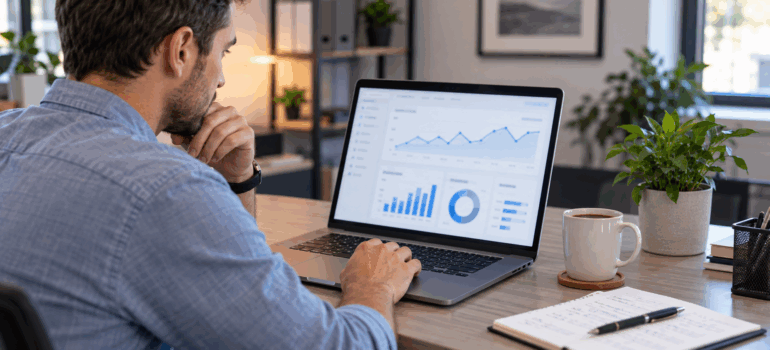
Since June 8, 2026, Google Analytics can pull Business Profile data directly. Link the two in the Analytics Admin panel under Product links. No tag changes or custom dimensions are needed. Once linked, Analytics reports seven GBP metrics: interactions, calls, bookings, directions, website clicks, messages, and menu views.
For a moving company, the value is seeing chat, calls, and quote-form submissions in one place. Know the limits before you rely on it:
- Analytics keeps Business Profile data for six months, so year-over-year comparisons aren’t possible there.
- If you link several locations, Analytics combines them. You can’t filter by a single branch.
- GBP metrics can’t be used in explorations, comparisons, or filters, and don’t work in subproperties.
- The link may not be live in every Analytics account yet.
The message count tells you how many conversations started, not how many turned into jobs. That’s why the CRM tag from the SOP above still matters. Google’s own help page on chatting with customers from your Business Profile lists the current regional availability.
Is GBP Chat Worth It for Your Moving Business?
Google Business Profile chat is worth turning on when your office can reply within minutes and log every conversation as a lead. It’s a cheap way to catch customers who won’t call. It works against you when texts sit unread on a phone nobody checks. Start with the Text button, run the SOP for one full month, and compare booked moves from chat against calls. If you’d rather have a team set up and monitor your profile, Movers Development handles Google Business Profile management for moving companies, from contact settings to review responses. Get in touch for a free GBP analysis, and we’ll tell you whether chat is right for your listing.
Frequently Asked Questions
Does Google Business Profile still have chat?
Yes, but not the original version. Google retired native Business Profile chat on July 31, 2024. Since then, businesses in select regions can add a Text or WhatsApp button in the Contact section of their profile, and messages go to that phone number or WhatsApp account.
How do I add WhatsApp to my Google Business Profile?
Open your profile, click Edit profile, go to Contact, and click the pencil next to Chat. Choose WhatsApp, paste your WhatsApp link, and save. If you also add a text number, Google will show only the Text button.
Why is the chat option missing from my Google Business Profile?
Chat is only offered in select regions and requires a claimed, verified profile. If the Chat field doesn't appear under Contact, the feature likely isn't available for your listing yet. There's no way to force it on.
Do slow replies hurt my Google Maps ranking?
Google doesn't document any ranking penalty for slow replies to Text or WhatsApp messages. The old native chat did track response time, but it was retired in 2024. Slow replies still cost moving companies jobs and can lead to negative reviews.
Can I see GBP messages in Google Analytics?
Yes. Since June 2026, you can link a Business Profile to Google Analytics under Admin > Product links. Messages appear alongside calls, directions, and website clicks. Analytics keeps this data for six months and combines multiple locations into one total.